Screen: Settlement
How to finalize a settlement
Before you start
- Your role is Cashier and settlement officer, Site manager or Central manager. Only the Site manager or Central manager finalizes a replacement draft.
- The draft exists. See How to create a settlement.
- Remember: finalizing cannot be undone. A wrong finalized settlement is corrected only by reversal and replacement.
Steps
- Open the draft from the Settlements list.
- Check every source line: quality and certification, agreement, fee formula, price (if any), gross, fee and net.
- If it says "Latest prior price", check that it is acceptable not to use a price of the day.
- If there are Blockers, resolve them one by one with the action each one shows (classification, price, or a new draft without the batch).
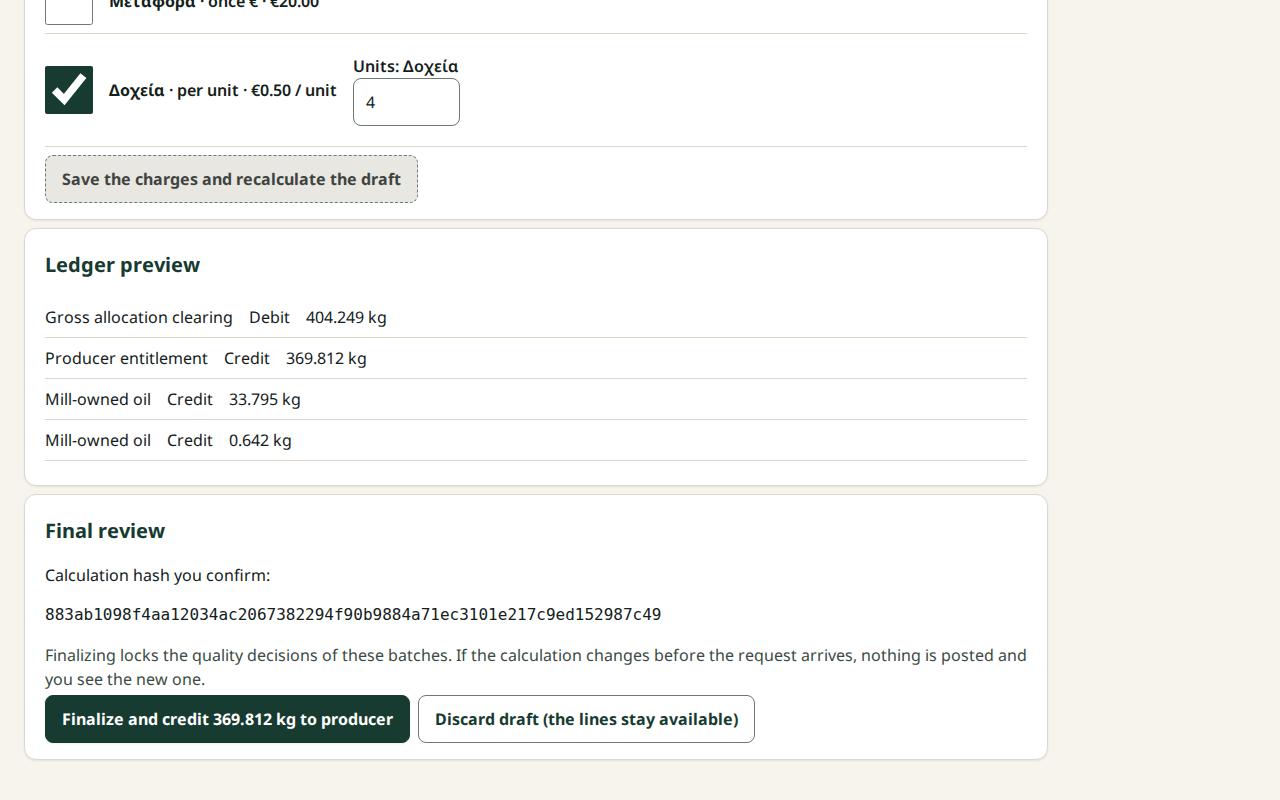
- Check the Totals and the Ledger preview.
- In Final review, press Finalize and credit … to producer.
- You see "Settlement … is finalized" and "… was credited to the producer.". The settlement gets a number and becomes Finalized.
- For the producer's paper copy, see How to print a settlement statement.
What if…
- …the button reads "Finalize (blocked)". Resolve the blockers first.
- …a blocker says "has no final quality classification". Ask the Quality officer to classify the batch. The Site manager or Central manager can press Classify batch …. Then open the draft again.
- …a blocker says "No price". Ask the Site manager or Central manager to enter a price. See How to enter a daily price.
- …it says "The calculation changed since you saw it…". Nothing was posted. Look at the lines marked Changed and press finalize again.
- …no answer came. Press Resend (same request). It will not be credited twice.
- …it says "Read only…" on a replacement draft. The Site manager or Central manager finalizes it.