Screen: Quality
How to finalize or correct a quality decision
Before you start
- Your role is Quality officer.
- The batch appears in the list Quality: batches awaiting classification.
- If the batch is organic (or another higher certification), check that a line cleaning covers the start. If it is missing, record it first: How to record a line cleaning.
Steps: finalize
- Open the batch from the list.
- Read the Inputs, the Production warnings and the Computed outcome.
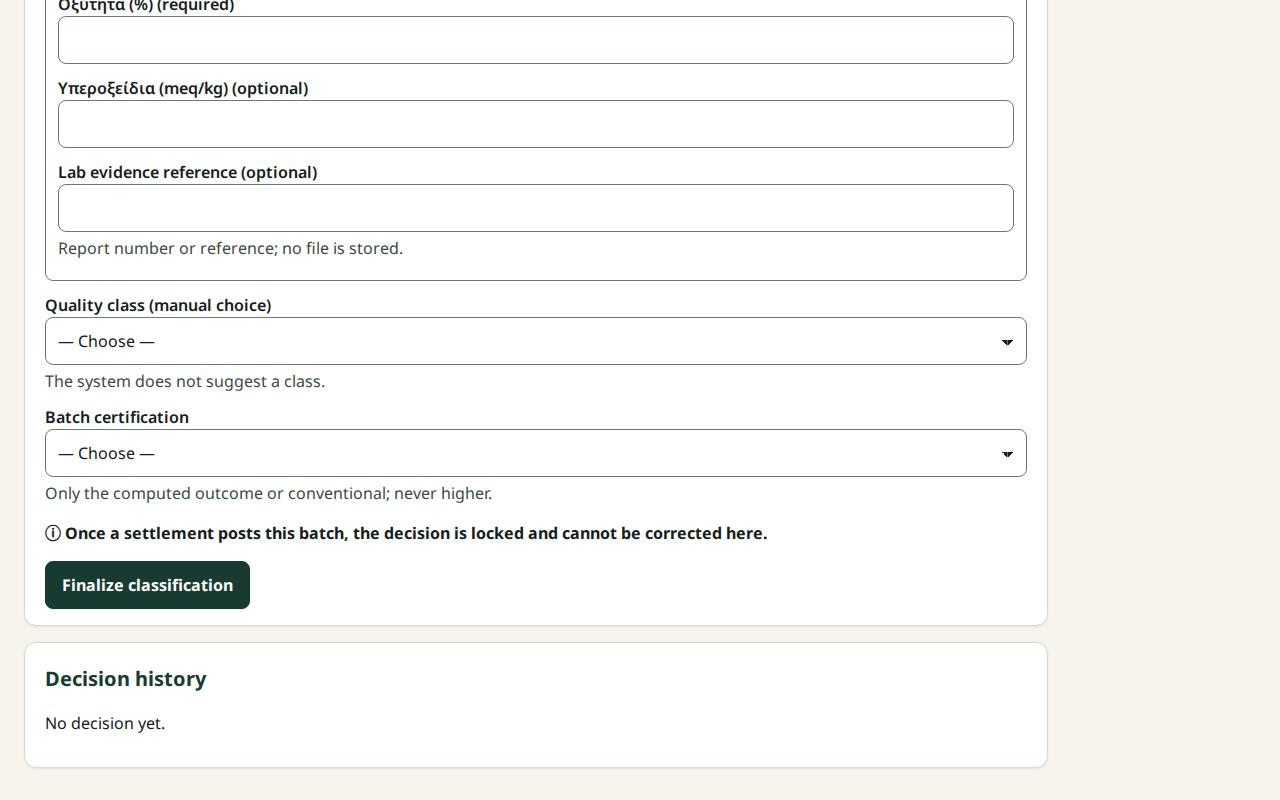
- Fill in the Lab measurements.
- In Quality class (manual choice) choose the class.
- In Batch certification choose "…: computed outcome" or "…: downgrade to conventional".
- If Override reason (required) appears, write why you keep the higher certification without a valid cleaning. Otherwise choose conventional.
- Read the line "Outcome: the batch will be classified …".
- Press Finalize classification: ….
- You see "Classification finalized · decision #1".
Steps: correct
A decision does not change. You correct it with a new decision that replaces it. The old one stays in the history.
- Stay on the same screen after finalizing. The form reads "Correct the quality decision (new decision #2)".
- Fill in the measurements, class and certification again with the right values.
- Press Finalize correction: ….
- In the Decision history the new decision is Current and the old one Superseded.
What if…
- …the list "Cannot finalize yet:" appeared. Do what each line says and press again.
- …it says "Locked by settlement". A settlement was finalized with this batch. The decision can no longer be corrected here.
- …I left the screen and want to correct. The batch no longer appears in the list. Talk to the Site manager.
- …it says "Another user finalized a classification…". See what is there now. What you typed is kept; if needed, finalize again as a correction.
- …it says "The inputs have different harvests…". The batch cannot be classified. Talk to the Site manager.
- …a settlement is waiting for this decision. After you finalize, the blocker in the settlement goes away when it is opened again.