Screen: Quality
How to enter lab measurements
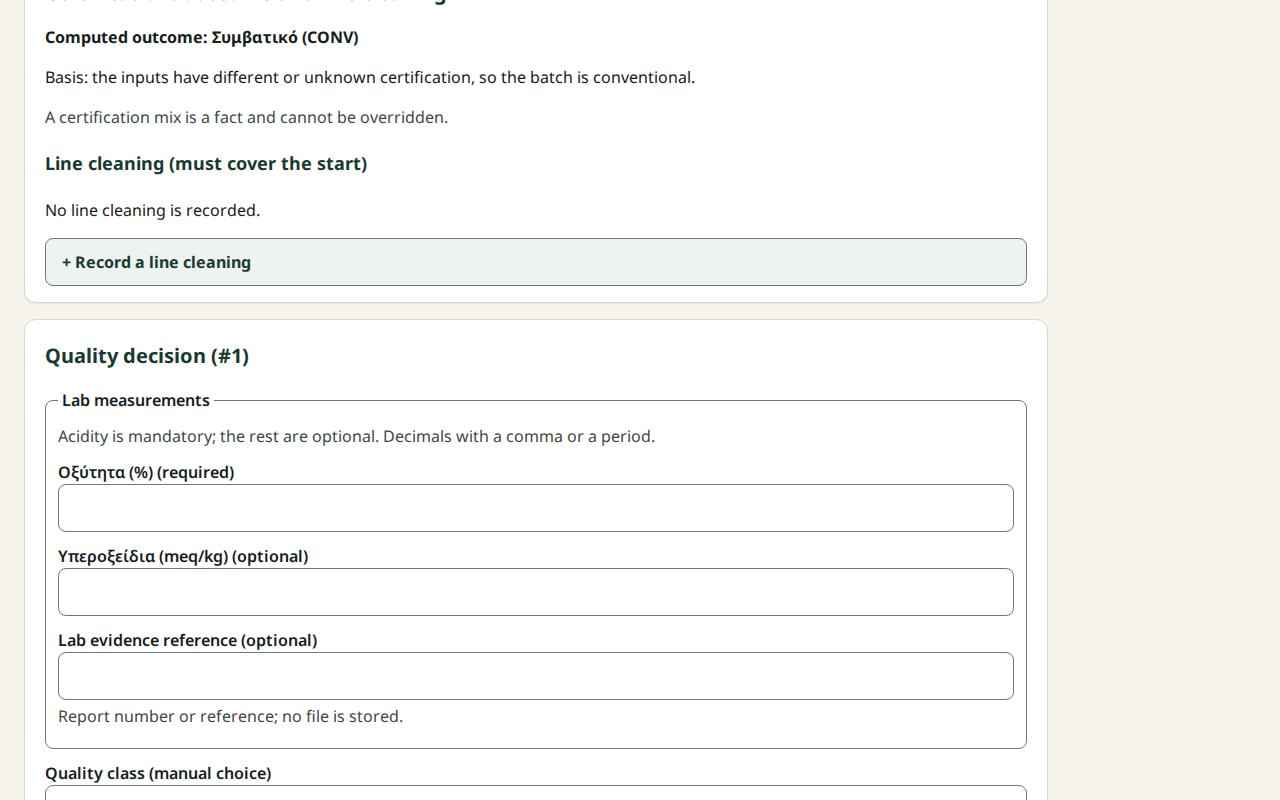
Lab measurements (for example acidity) are recorded together with the quality decision. They are not saved on their own: they are saved when you finalize the classification.
Before you start
- Your role is Quality officer.
- The batch was completed with oil and appears in the list Quality: batches awaiting classification.
- You have the lab report.
Steps
- Press Quality in the row of screens.
- Press the batch in the list.
- Under Lab measurements, enter each value in its field. Fields marked "(required)" must be filled in; "(optional)" ones can stay empty.
- Enter decimals with a comma or a period, for example
0.32. - In Lab evidence reference (optional) enter the report number. No file is uploaded.
- Go on with the class and certification, as in How to finalize or correct a quality decision.
What if…
- …it says "Required measurement." Fill in the field.
- …it says "Invalid value: a number only, up to 9 decimals." Remove units, spaces or symbols.
- …the connection dropped. What you typed stays on the screen. Finalize when the connection is back.
- …I entered a wrong value and already finalized. See the correction in How to finalize or correct a quality decision.