Producer agreements
Which role does what here
| Role | What it can do here |
|---|---|
| Site manager | sees agreements and default terms, sets default terms and producer terms |
| Central manager | sees agreements and default terms, sets default terms and producer terms |
What it is for
An agreement sets the mill's fee for a producer at a site: the fee type ("Percentage in oil" or "Monetary fee in oil"), the rate or the amount, and whether settlement is per batch or consolidated. Settlement uses the agreement version that was in force at the intake.
Every site has default terms. When a producer delivers olives without an agreement, their agreement is created automatically from the default terms in force that day. A producer can also have their own terms, as an exception.
Terms are never changed in place: every change is a new version from a date, and the old ones stay in the history.
The producer you selected on another screen (Settlement, Oil withdrawals, an intake) opens here directly; if the site has nothing to show for that producer, the list opens.
Who sees it
- Site manager and Central manager: they see and change everything.
- Other roles do not have the screen. The Intake operator never sees fee terms; the automatic agreement at intake is a system rule, not their permission. Anyone opening the screen without the right sees "You have no access to the agreements of this site…".
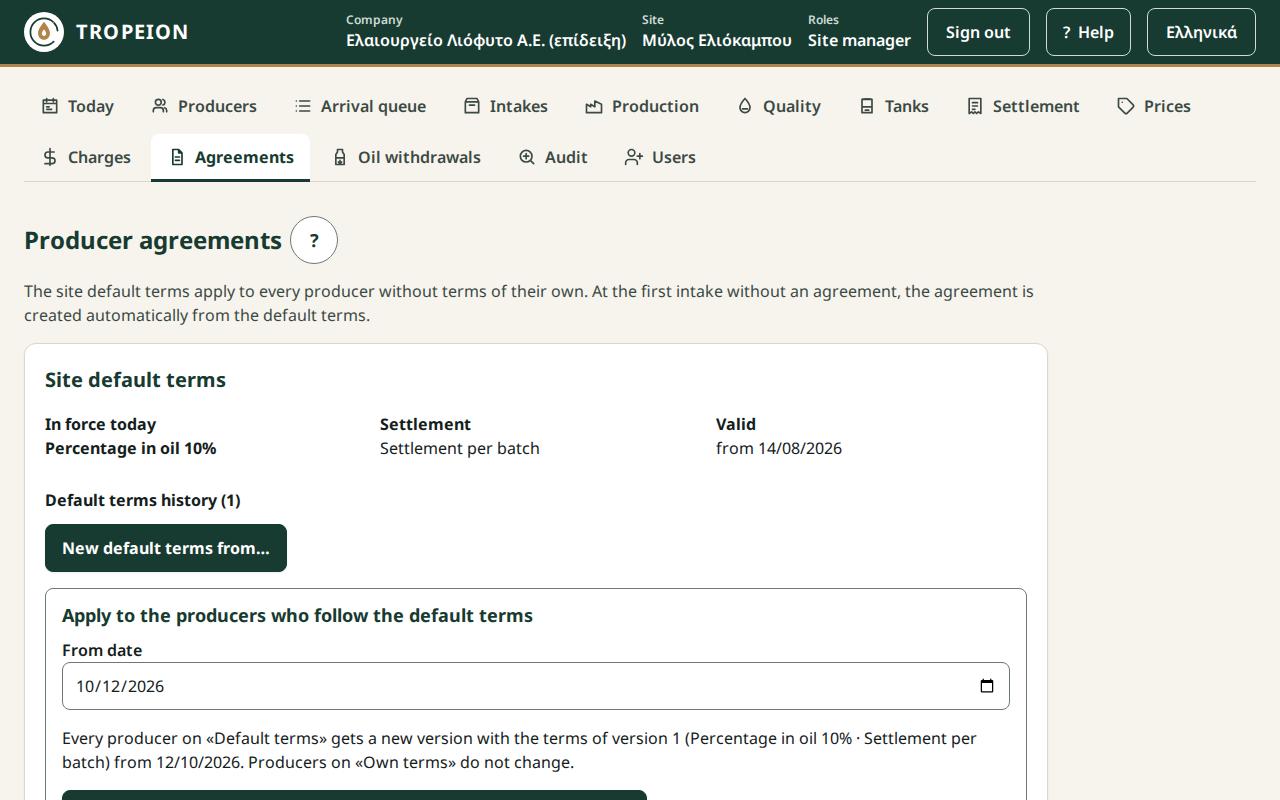
Site default terms
The first card shows:
- In force today: e.g. "Percentage in oil 8%" or "Monetary fee in oil €0.12/kg".
- Settlement: "Settlement per batch" or "Consolidated settlement".
- Valid: since when.
- Default terms history (N): every version with its dates; the current one shows "In force", a future one "Future".
If the site has no default terms, the card says so with ▲: an intake of a producer without an agreement does not start until they are set.
New default terms from… opens the form. See How to set the default terms. Below the card, Apply to the producers who follow the default terms moves the producers on "Default terms" to the terms in force from a date. See How to apply new default terms.
The agreement list
One row per producer with an agreement at the site: the Producer (name and number), the Current terms, the Source and when it is Valid.
- "Default terms": the current version came from the default terms. The producer moves when new default terms are applied.
- "Own terms": an exception. Applying new default terms does not change them.
- "No active version": there is only a draft version.
Type a name or number in Search (accents and capitals do not matter) and choose in Terms: "All", "Default terms" or "Own terms". The list shows 50 rows; press More for the next ones. Press the name to open the producer's agreement.
A producer's agreement
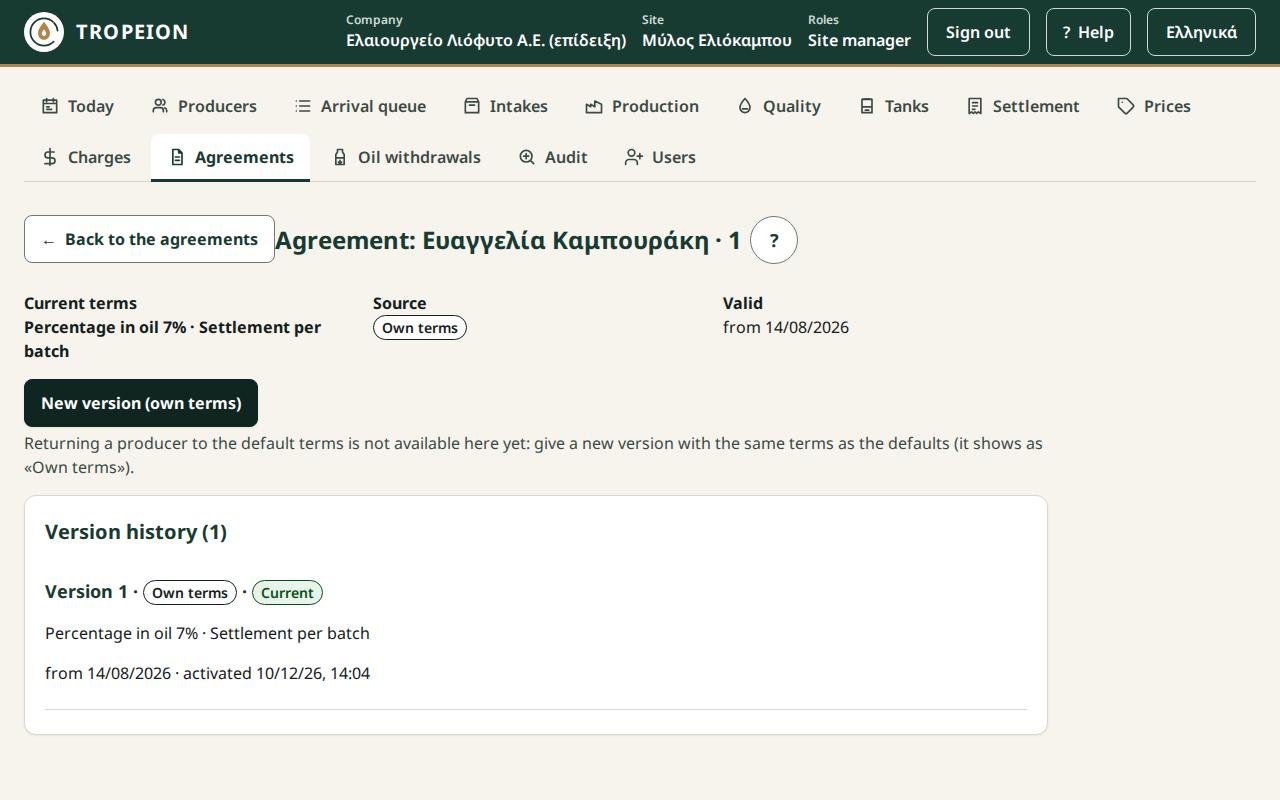
It shows the Current terms, their source and the Version history: each version with its terms, source, dates and when it was activated. A version "Draft, not in force" has an Activate version N from … button.
New version (own terms) gives the producer their own terms. See How to give a producer their own terms.
Returning a producer to the default terms is not available on the screen yet. You can give a new version with the same terms as the defaults, but it shows as "Own terms" and does not move when new defaults are applied.
Copy to all sites
If the company has more than one site, the Central manager or a Site manager at every site sees Copy to all sites… on the default terms and on each producer's agreement. The default terms become a new version at every other site; a producer's terms become a new version for the same producer at every other site. You sign in again and the Result per site table shows what happened. See How to copy to all sites.
Messages and what to do
- "Someone else changed the terms meanwhile…": The current data was loaded and your input was kept. Check and press again.
- "This action needs you to sign in again…": New default terms, the apply and the activation are critical actions. Sign in again; the same request is sent on its own.
- "The date is not accepted…": New terms start after the latest version; an apply from today on.
- "An intake on or after this date uses the previous version…": Choose a date after the last intake.
- "A request awaits confirmation…": Press Resend (same request); it is never recorded twice.
Related How-To
- How to set the default terms
- How to apply new default terms
- How to give a producer their own terms
- How to copy to all sites