Additional charges
Which role does what here
| Role | What it can do here |
|---|---|
| Cashier and settlement officer | sees the charges |
| Site manager | sees the charges, sets charges |
| Central manager | sees the charges, sets charges |
| Accountant and back office | sees the charges |
| Auditor (read-only) | sees the charges |
What it is for
The site's charges beyond the milling fee, for example "Pest control", "Transport" or "Containers". Every charge is deducted in oil at settlement: its € amount becomes kg of oil at the daily price of the quality and certification, like the monetary fee. It is not a fiscal document; it carries no VAT or other taxes.
Who sees it
- Site manager and Central manager: add, change and retire charges, and copy them to all sites.
- Cashier and settlements, Accounting and Auditor: see the charges, read only. The cashier adds the optional charges inside the settlement.
- Other roles do not have the screen. If they open it they see "You have no access to this site's charges…"
The columns
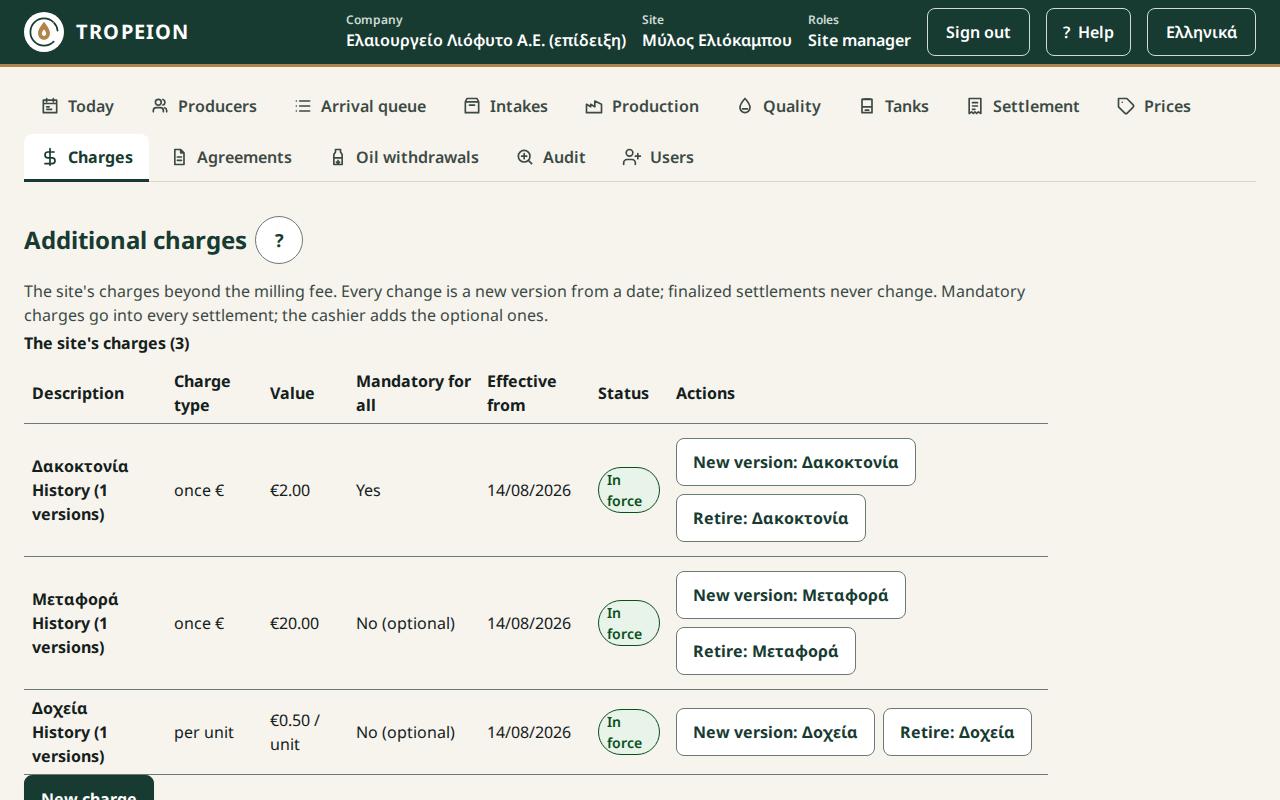
Press Charges in the screen bar. Each row is one charge:
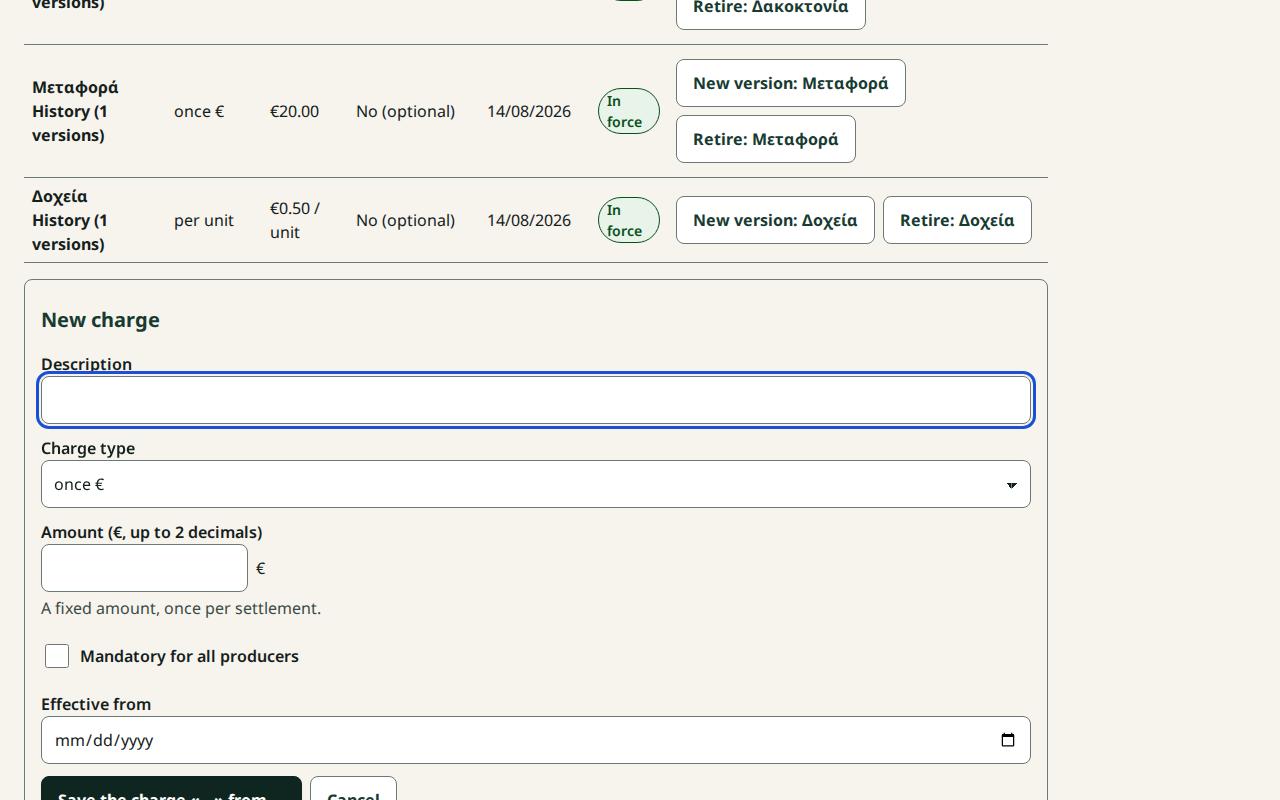
- Description: free text, up to 120 characters. Under it, History shows every version.
- Charge type: one of the five below.
- Value: with 2 decimals, with € or % depending on the type.
- Mandatory for all: "Yes" goes into every settlement; "No (optional)" is added by the cashier when needed.
- Effective from and Status: "In force", "From …" (starts later) or "Retired".
Charge types
- once €: a fixed amount, once per settlement.
- once %: a percentage of the producer's gross oil in the settlement, before the fee. Up to 100%.
- € per kg of olives: amount × the olive kg the producer delivered.
- € per kg of oil: amount × the producer's gross oil kg.
- per unit: amount × the units the cashier enters at settlement (e.g. containers). If the charge is mandatory, the settlement cannot be finalized without units (0 is allowed).
Versions, retiring, history
A charge is never corrected backwards. Every change is a new version from a date, after the latest version. Retire stops the charge from a date; a new version brings it back. Finalized settlements keep the charge they had; no change affects them.
Copy to all sites
The Copy to all sites… button shows only when the company has more than one site, and only for the Central manager or a Site manager at every site. You sign in again. See How to copy to all sites.
Messages and what to do
- "Enter an amount above 0 with up to 2 decimals" or "Enter a percentage from 0.01 to 100": Correct the value.
- "The date must be after …": The new version starts after the latest one.
- "Someone else changed the charge meanwhile…": The list was reloaded and your input kept. Check and press again.
- "The copy is not allowed…": It needs the central manager or a site manager at every site. Nothing changed.
- "A request is waiting for confirmation…": Press Resend (same request); it is never recorded twice.