Tanks
Which role does what here
| Role | What it can do here |
|---|---|
| Production operator | sees the tanks |
| Warehouse and tank operator | sees the tanks, records counts and transfers |
| Site manager | sees the tanks, records counts and transfers |
| Central manager | sees the tanks, records counts and transfers |
| Accountant and back office | sees the tanks |
| Auditor (read-only) | sees the tanks |
What it is for
The Tanks screen shows how much oil each tank of the site holds, how much room is left and which movements took place. Here you record a count (the kilograms you measured) and transfer oil from one tank to another.
The stock is the book stock: the sum of all movements (receipts from production, transfers, count adjustments). All quantities are in kilograms (kg).
The screen opens from the Tanks button in the row of screens.
If you come from Production with a batch open, the tanks that received its oil are marked "Received oil from the selected batch" (one such tank opens directly). The tank you open here is marked in a delivery of Oil withdrawals.
Who sees it
- Warehouse and tank operator, Site manager, Central manager: see everything, record counts and transfers.
- Production operator, Accountant and back office, Auditor (read-only): read-only. They see "Read-only: counts and transfers are done by the warehouse and tank operator and the managers."
- Other roles do not see the button. If they open the screen they see "You have no access to the tanks of this site."
Tour: the tank board
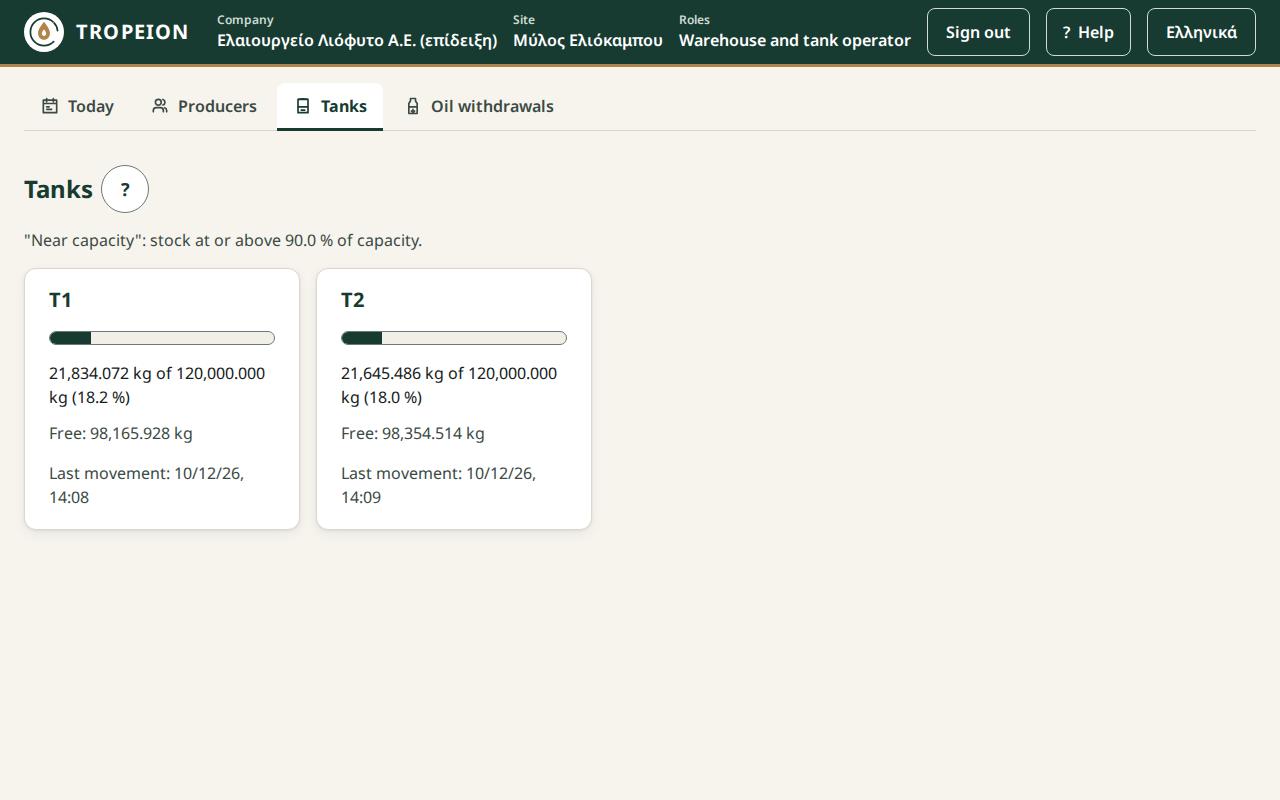
Each tank is a card with:
- its code (for example Δ-01),
- a fill bar and the text "1,200 kg of 5,000 kg (24.0 %)",
- the free kilograms ("Free: 3,800 kg"),
- the Near capacity chip when the stock reaches the limit stated above the cards,
- the status, when the tank is not active (for example "Cleaning"),
- the time of the last movement, or "No movement yet".
Press a card (or Tab and Enter) to open the tank.
Tour: the tank
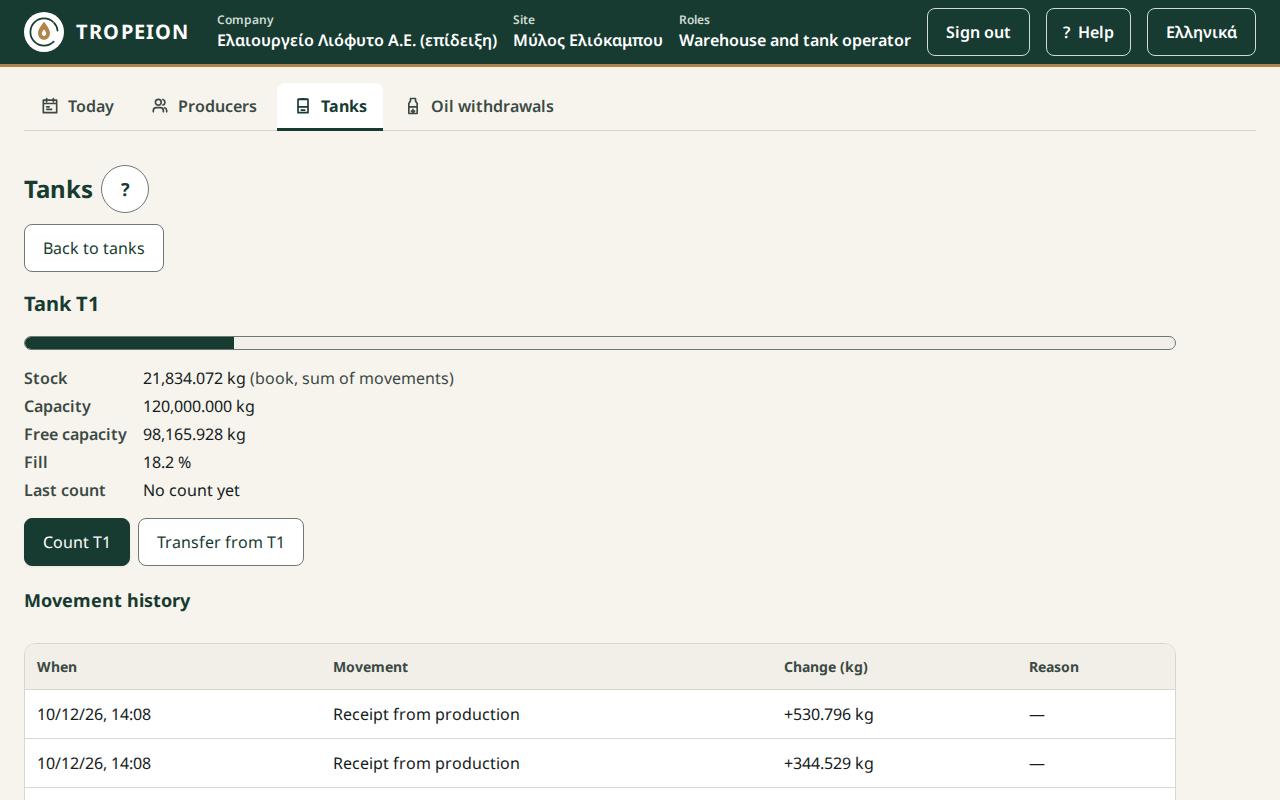
At the top you see the stock with its source "(book, sum of movements)", the capacity, the free capacity, the fill and the last count with its difference.
The Count Δ-01 and Transfer from Δ-01 buttons open the two actions. See How to count a tank and How to transfer oil to another tank.
The Movement history lists the movements, newest first: when, what (for example "Transfer to Δ-02"), the signed change in kilograms (+ in, − out) and the reason. Press More for older movements.
Back to tanks returns to the cards.
Messages
- "This site has no tanks.": tanks are set up when the company is onboarded.
- "The tanks could not be loaded. Try again.": press Reload.
- "No connection: count and transfer are disabled. What you typed is kept.": wait for the connection.
- "The tank is not active: no count or transfer.": the tank is being cleaned, maintained or is inactive.
- "Transfer refused: the target tank holds oil of another certification or harvest…": for example organic with conventional, or this harvest with last year's. Mixing is not allowed. Nothing changed and what you typed is kept; choose another or an empty tank.
- "The quantity exceeds the tank's capacity.": put fewer kilograms or choose another tank.
- "Done: … Note: the target tank now holds oil of different quality classes.": the transfer was made, but the tank now holds oil of mixed quality. Tell the site manager if this was not intended.