Screen: Quality
How to record a line cleaning
A batch needs a line cleaning to keep the organic (or another higher) certification. The cleaning must be completed before the batch started and still be valid then.
Before you start
- Your role is Quality officer or Production operator.
- You have the cleaning form: when it was completed, until when it is valid, and its number.
- You record it from a batch in the list Quality: batches awaiting classification; it applies to that batch's line.
Steps
- Press Quality and open a batch of the line.
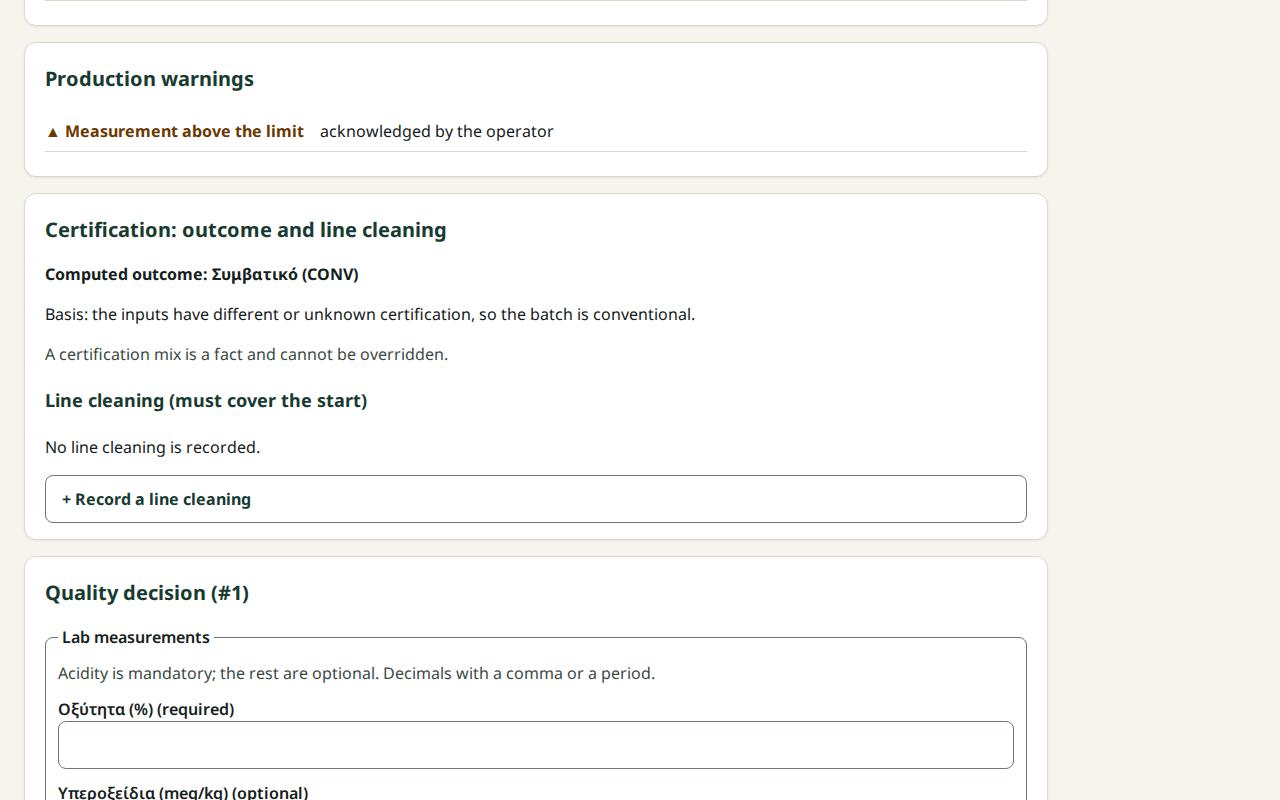
- In the section Certification: outcome and line cleaning, press + Record a line cleaning.
- In Cleaning completed (site time) enter the date and time.
- In Valid until (site time) enter the expiry date and time.
- In Evidence (form number or reference) enter the form number.
- Press Record the line cleaning.
- You see "The cleaning is recorded; the certification outcome was recalculated." If it covers the start, it is marked Valid at the start.
What if…
- …it says "The completion cannot be in the future." Check the date and time.
- …it says "Valid until must be after the completion." Fix Valid until.
- …the cleaning says "Does not cover the start". It was completed after the batch started, or had expired before. For this batch, the higher certification needs an override reason, or you choose conventional.
- …the batch is "Locked by settlement". The cleaning form does not appear on a locked batch. Open another batch of the same line.