Screen: Settlement
How to create a settlement
Before you start
- Your role is Cashier and settlement officer, Site manager or Central manager.
- The producer has completed batches with oil not yet settled, at this site.
- Ideally the batches already have a quality decision; otherwise the draft will have a blocker.
Steps
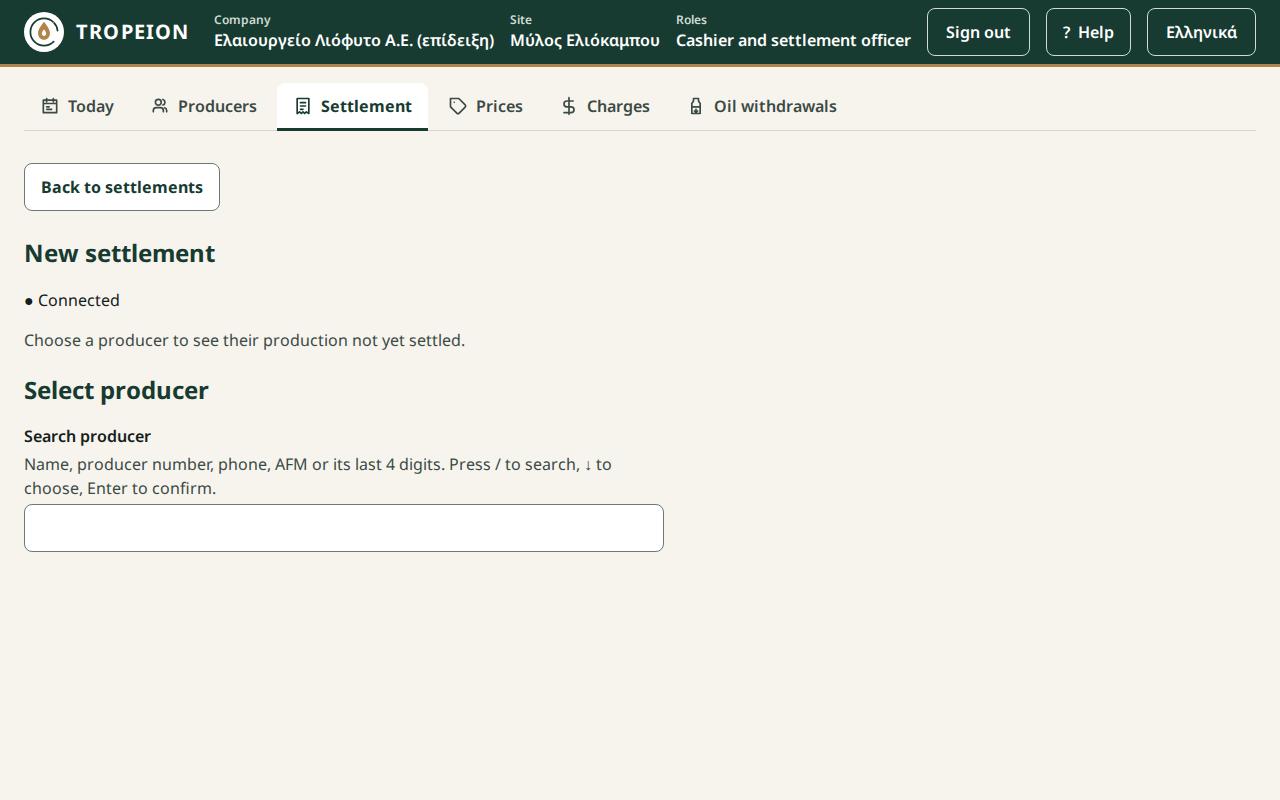
- Press Settlement in the row of screens.
- Press New producer settlement.
- Search for and choose the producer.
- Under Gross allocation lines, tick the batches you want to settle. Each line shows the gross and whether it is Classified or Not classified yet.
- Check the button: "Create draft: N lines, gross …".
- Press it. The Settlement draft opens with "✓ Saved as a draft · …". A draft is saved automatically; if you stop here, you find it later in the list under Open (drafts).
- Check the source lines, the totals and the blockers. To finalize it, see How to finalize a settlement.
What if…
- …it says "This producer has no production to settle…". The producer has no completed batches with unsettled oil at this site. Check the site in the context bar.
- …the producer's agreement settles per batch. Tick one batch per draft. Otherwise the draft will have a blocker.
- …it says "A request awaits confirmation…". Press Resend (same request). No second draft is created.
- …I do not see the New producer settlement button. Your role is read only.