Screen: Daily prices
How to enter a daily price
Before you start
- Your role is Site manager or Central manager.
- You know the quality, the certification, the effective date and the price in euros per kilogram.
- The price applies to the site selected in the context bar at the top.
Steps
- Press Prices in the row of screens.
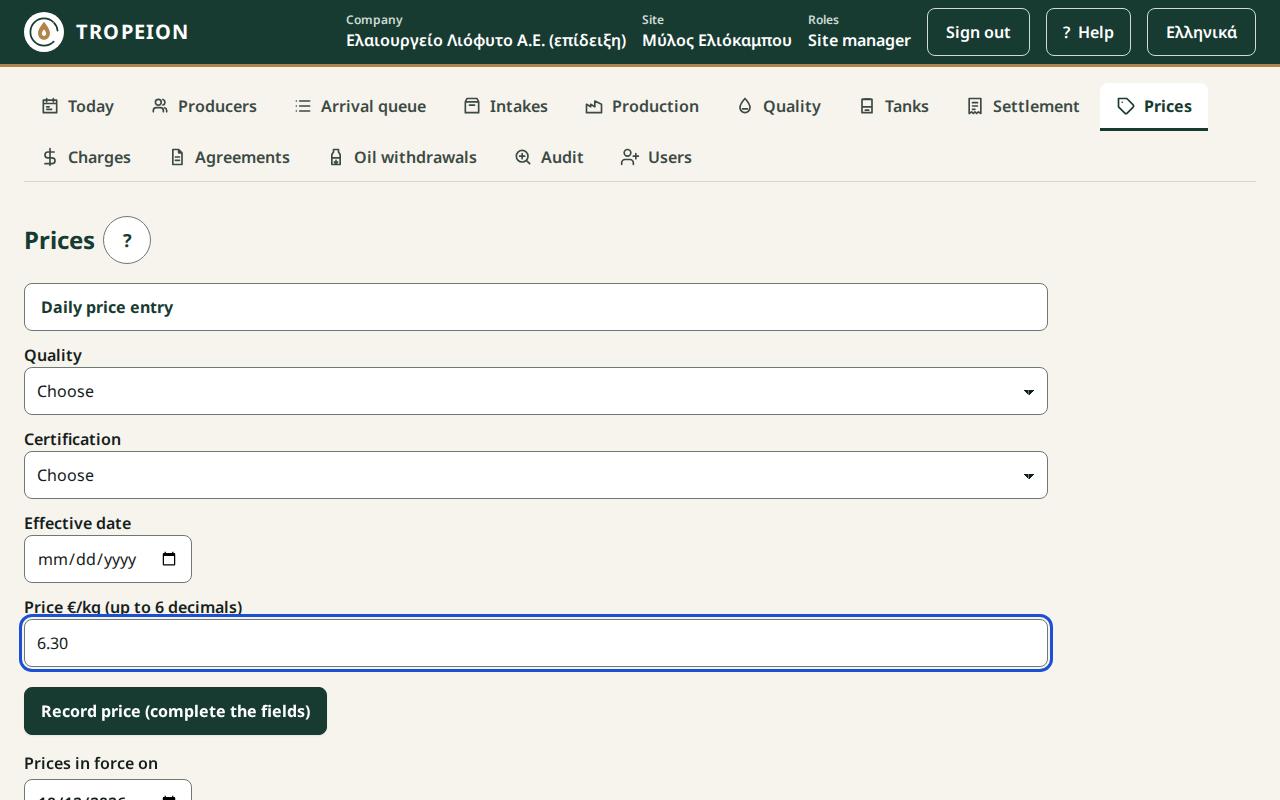
- The Daily price entry form is open at the top of the page.
- In Quality choose the quality class.
- In Certification choose the certification class.
- In Effective date enter the date.
- In Price €/kg (up to 6 decimals) enter the price, for example
6.25. - Check the button text: "Record price €…/kg for … / … from …".
- Press the button.
- You see "Price €…/kg from … is recorded." The new price appears as the class's current price and in the History.
If you came from a settlement blocker ("No price"), press Enter a price: … / …: the form opens there with the quality and certification already chosen, and after saving the settlement reloads.
What if…
- …the box "Correction: the current price is …" appeared. A price already exists for this key and this date. If you want to change it, see How to correct a price. If not, check the date.
- …it says "Enter a price greater than 0, with up to 6 decimals." Fix the price.
- …I need a price for organic and for conventional. Each combination of quality and certification needs its own price.