Screen: Settlement
How to reverse and replace a settlement
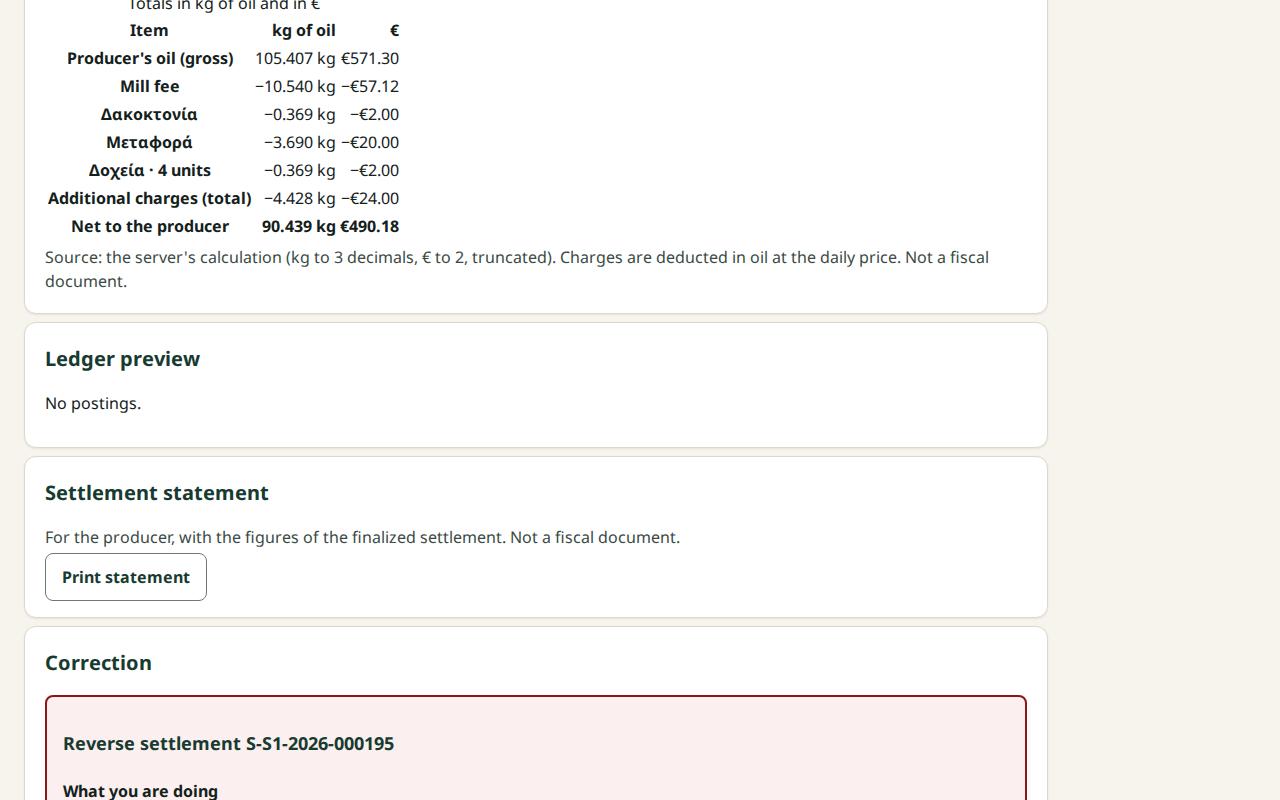
A finalized settlement is never corrected by changing it. A reversal makes an inverse posting: it removes the net from the producer and the fee from the mill-owned oil, and makes the lines available again. Then you make a new replacement settlement with the right data.
Before you start
- Your role is Site manager or Central manager.
- The settlement is Finalized.
- Fix the cause of the mistake first (for example the price or the quality decision), so the replacement comes out right.
- You will be asked to sign in again.
Steps
- In the Settlements list choose Status: Finalized (the list opens on the drafts) and open the settlement.
- Under Correction, press Reverse and replace.
- Read What you are doing, What will change, Who is affected and What cannot be undone.
- Write a Reason (required).
- Under Replacement intent leave "to be replaced by a new settlement" selected.
- Press Reverse: remove … from the producer and replace.
- Sign in again when asked. You return to the same settlement and the request is sent once.
- You see "Settlement … is reversed". The status becomes Reversed.
- Press Open the replacement draft. "Replacement draft for …" opens with the old lines already ticked.
- Change the selection if needed and press Create replacement draft: ….
- Check the new draft and finalize it, as in How to finalize a settlement. The header shows which settlement it Replaces.
What if…
- …I only want to cancel, without a new settlement. In step 5 choose "no replacement". Then you cannot open a replacement draft from this settlement.
- …it says "Replacement is not allowed…". The settlement was reversed without replacement intent, or is already replaced.
- …it says "The reversal needs a fresh sign-in…". Sign in. The same request is sent after it.
- …I want to stop. Press Close without reversing: nothing changes. Open it again when you are ready.
- …the reversal was a mistake. A reversal is final; the settlement does not come back. Make a new settlement with the same lines.