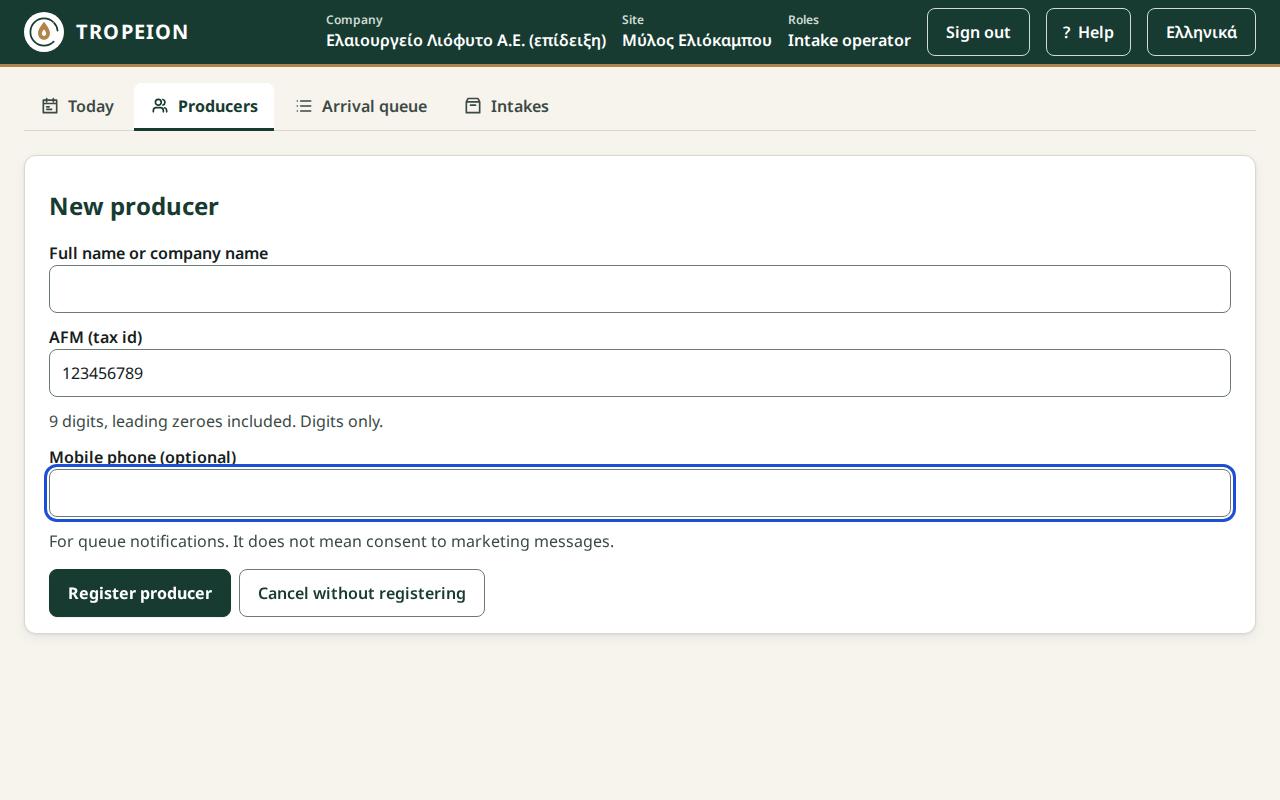
Screen: Producers: search, details and new producer
Register a new producer
Before you start
- Your role allows registration: every company role except the Auditor (read-only).
- You have the producer's full name and AFM in front of you, preferably from a document.
- You searched for the producer by AFM on the Producers screen first and did not find them.
Steps
- Open the Producers screen.
- Press New producer.
- Type the Full name or company name.
- Type the AFM (tax id), 9 digits, leading zeroes included.
- If you have it, type the Mobile phone.
- Press Register producer or Enter.
- You see "Producer registered" and the producer number. Note it for the producer.
- Check the name and AFM shown below. Press Back to producer search.
What if…
- …you see "The AFM check digit does not match…". Check the digits one by one against the document. If you made a mistake, correct it and press Register producer again. If the AFM is right, press Register anyway.
- …you see "A producer with this AFM already exists in the company". Nothing was registered. Search for them by AFM.
- …you see "N other producers have the same name". The producer was registered. Check that this is not a second record of the same person, and tell your site manager if it is.
- …the connection drops. What you typed is kept. Press Register producer again when it returns. It will not be registered twice.
- …you do not see the "New producer" button. Your role (for example Auditor) does not allow registration. Ask someone with another role.