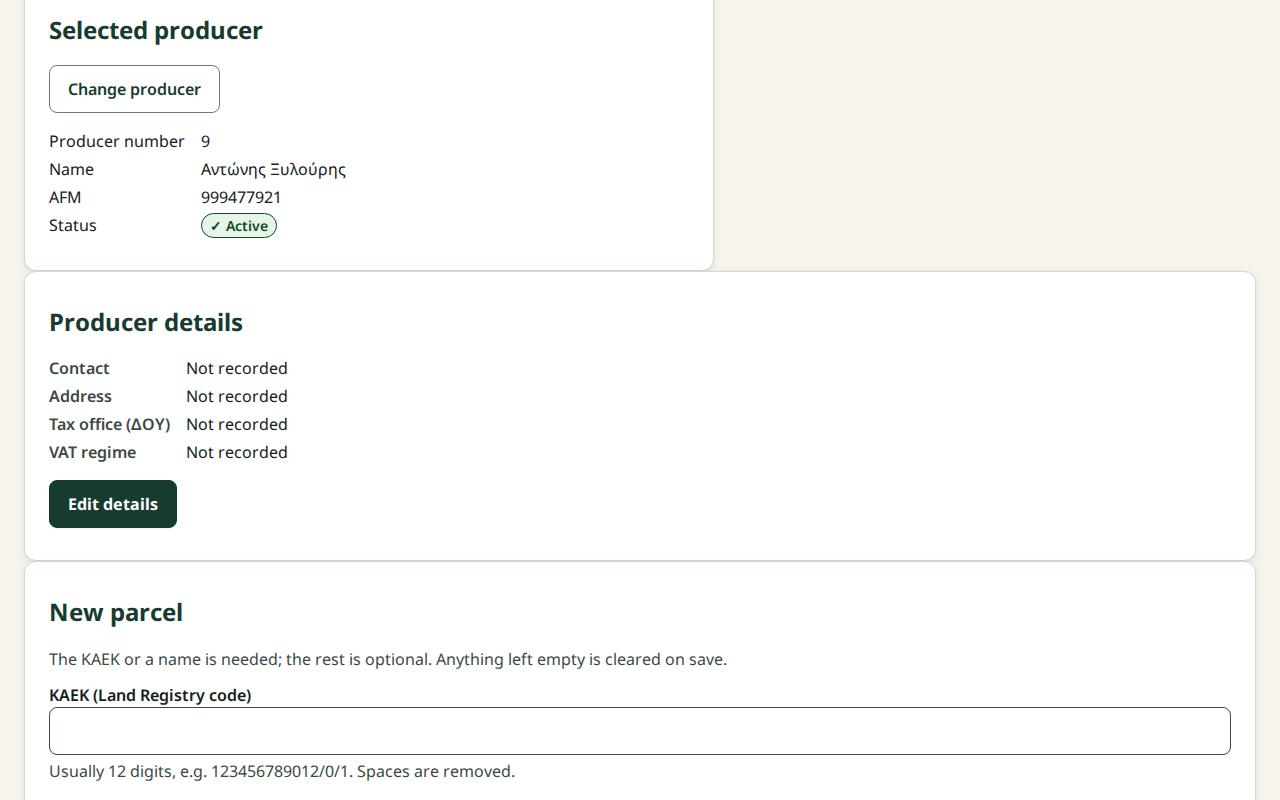
Screen: Producers: search, details and new producer
Record a parcel
Before you start
- Your role can change producer details: every company role except the Auditor (read-only), who sees the parcels and the map without changing them.
- You have the ΚΑΕΚ from the Land Registry document, or at least a name for the field.
Steps
- Open Producers and select the producer.
- In the Parcels section press New parcel.
- Enter the ΚΑΕΚ (Land Registry code), for example
123456789012, and/or a Name, for example "Kalamaki grove". - Enter the Area in stremma, for example
12.5. Check "Will be saved: 12.5 stremma (12,500 m²)". - Choose the Variety and enter the Number of trees, if you know them.
- Press Record the parcel or Enter.
- You see "The parcel … was recorded." and the parcel in the table.
To change it, press Edit … on the parcel's row. So that intake no longer offers it, press Deactivate ….
Caution: Saving replaces all of the parcel's details. Anything left empty is cleared. The shape on the map only comes from a file import and stays as it is.
What if…
- …you see "Note: the ΚΑΕΚ does not have the usual format…". It was saved. Check the digits against the document and correct them with Edit … if needed.
- …you see "Note: another producer has the same ΚΑΕΚ…". It was saved. This is right for co-owned or leased land.
- …you see "The producer already has a parcel with this ΚΑΕΚ.". Nothing was saved. If it is inactive, press Reactivate … in the message.
- …the map does not show. You see "The map is not available on this device.". Every value is in the table; recording works as usual.
- …you do not see «New parcel». Your role cannot make changes.