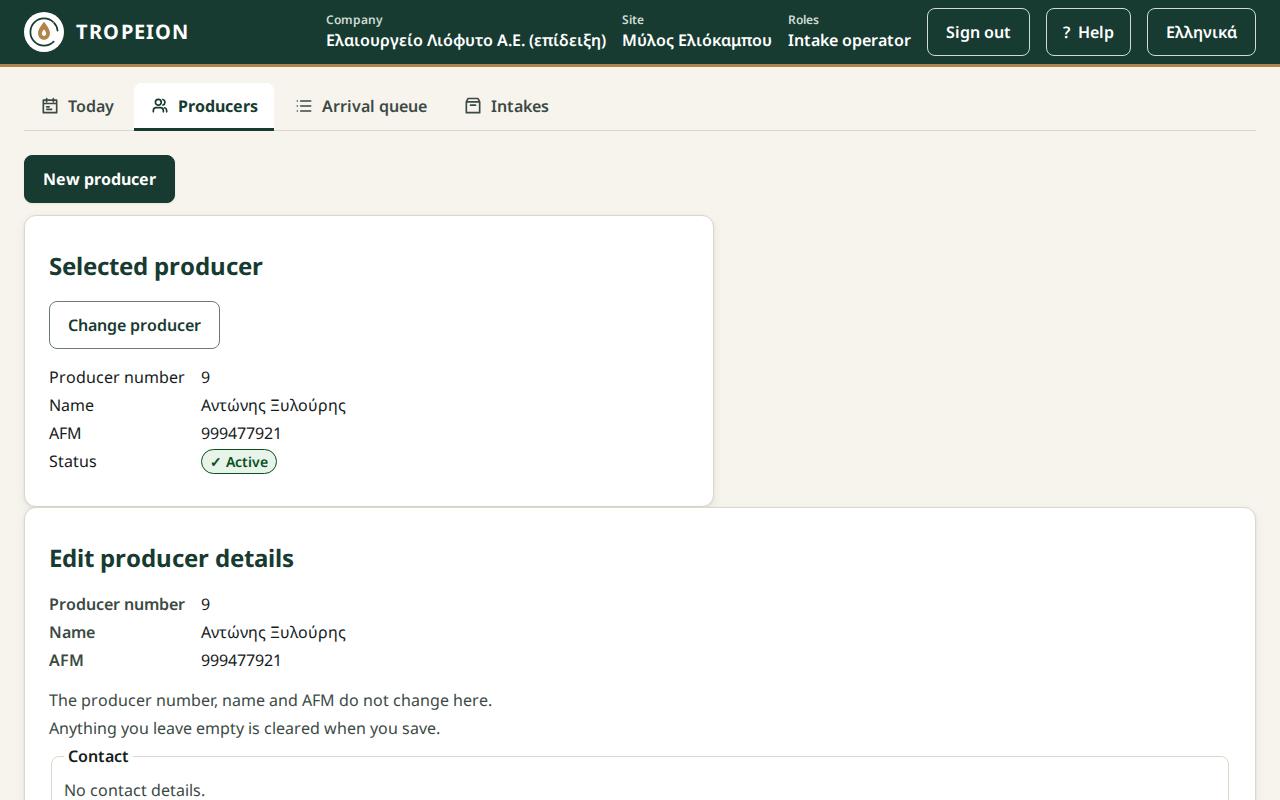
Screen: Producers: search, details and new producer
Change a producer's details
Before you start
- Your role allows changing details: every company role except the Auditor (read-only), who only sees them.
- You change only contacts, address, tax office (ΔΟΥ) and VAT regime. The producer number, name and AFM do not change here. For a mistake in those, tell your site manager.
Steps
- Open the Producers screen and select the producer.
- In the Producer details section, press Edit details.
- Under Contact, correct the rows. Add phone or email adds a row: choose Mobile or Email and type the value. Remove contact takes a row out.
- Under Address, type Street and number, Postal code (5 digits) and Town or village.
- Type the Tax office (ΔΟΥ) and choose the VAT regime: "Special farmers' regime" or "Normal regime". If you do not know it, leave "Not recorded".
- Press Save producer details or Enter.
- You see "The producer's details were saved.". Check the details shown.
Caution: Saving replaces all the details. Anything you leave empty is cleared. A contact row you removed is not kept as disabled: it simply goes away.
What if…
- …you see "Saving will remove the WhatsApp contact (no longer supported).". The producer has an old WhatsApp contact, which is no longer accepted. Saving removes it and it cannot be added again. If the number is also a mobile, add it as Mobile.
- …you see a message under a field. The cursor is on the first error. Correct it and press again. Nothing was saved.
- …you see "Someone else changed this producer's details meanwhile…". Your changes were not saved. Press Load the current details, see what changed and make your change again.
- …the connection drops. What you typed is kept. Press Save producer details again when it returns. It will not be saved twice.
- …you do not see the "Edit details" button. Your role (for example Auditor) does not allow changes. Ask someone with another role.