Screen: Intakes
Find an intake
Before you start
- You have one of the roles Intake operator, Site manager, Central manager, Accountant and back office or Auditor (read-only).
- You are at the site where the intake was made (in the "Work context" bar).
- You know roughly the date and one of: the producer number or name, the lot code from the label, the intake id.
Steps
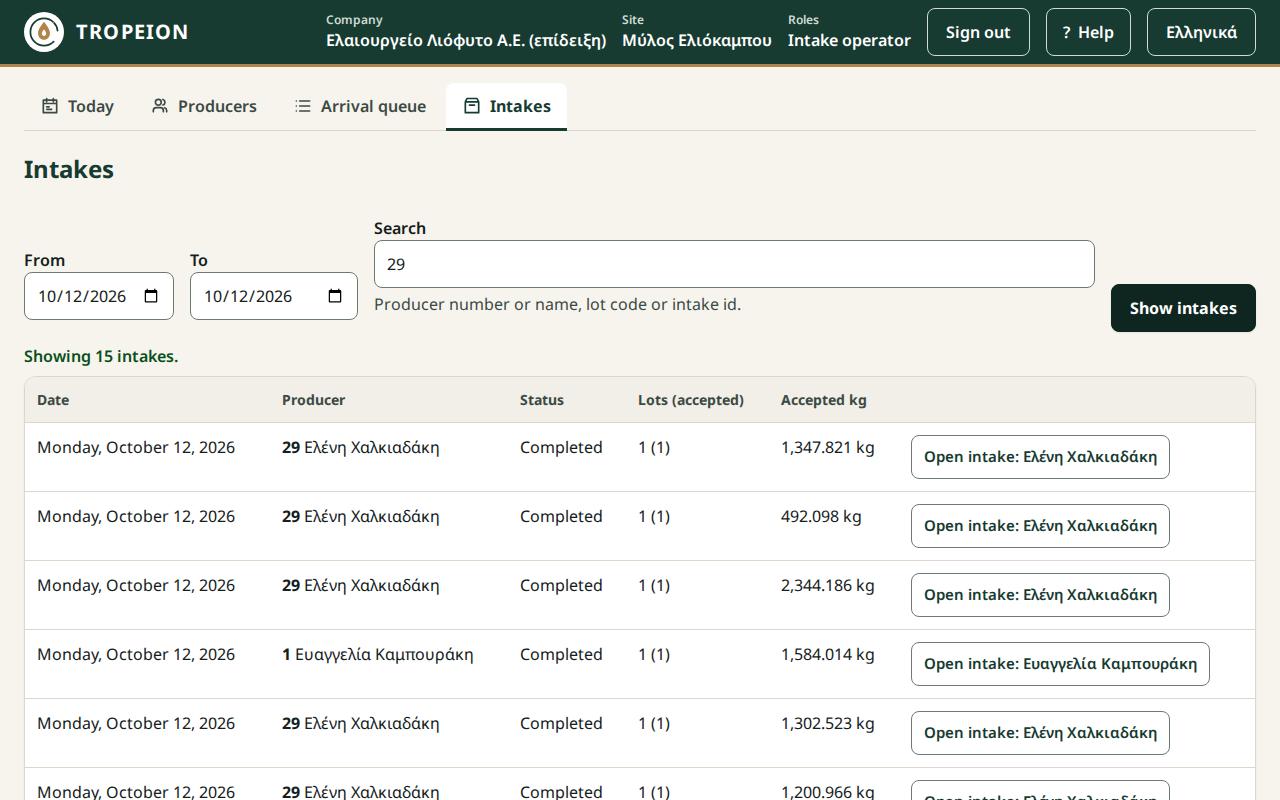
- Press Intakes.
- Set From and To to the dates the intake may have happened.
- In Search, type the producer number, part of the name or the lot code. For the lot code the last digits are enough.
- Press Enter or Show intakes.
- If you do not see it, press More at the end of the table.
- Press Open intake: … on the right row. Check producer, date and kilograms.
- To open a lot, press its code on its card. To return, press Back to the intakes.
What if…
- …you see "No intakes found…". Widen the dates or leave the search empty.
- …the intake opens "Read only". Your role can view intakes but not change them. For a correction, tell your site manager.
- …the intake was made at another site. Change site in the "Work context" bar (Change site).
- …the connection drops. Press Reload intakes when it returns. The filters are kept.