You have access to more than one site or company. With only one, the bar just shows its name and there is no list.
Finish or save what you are doing. After the change, the screen starts over for the new site.
Steps
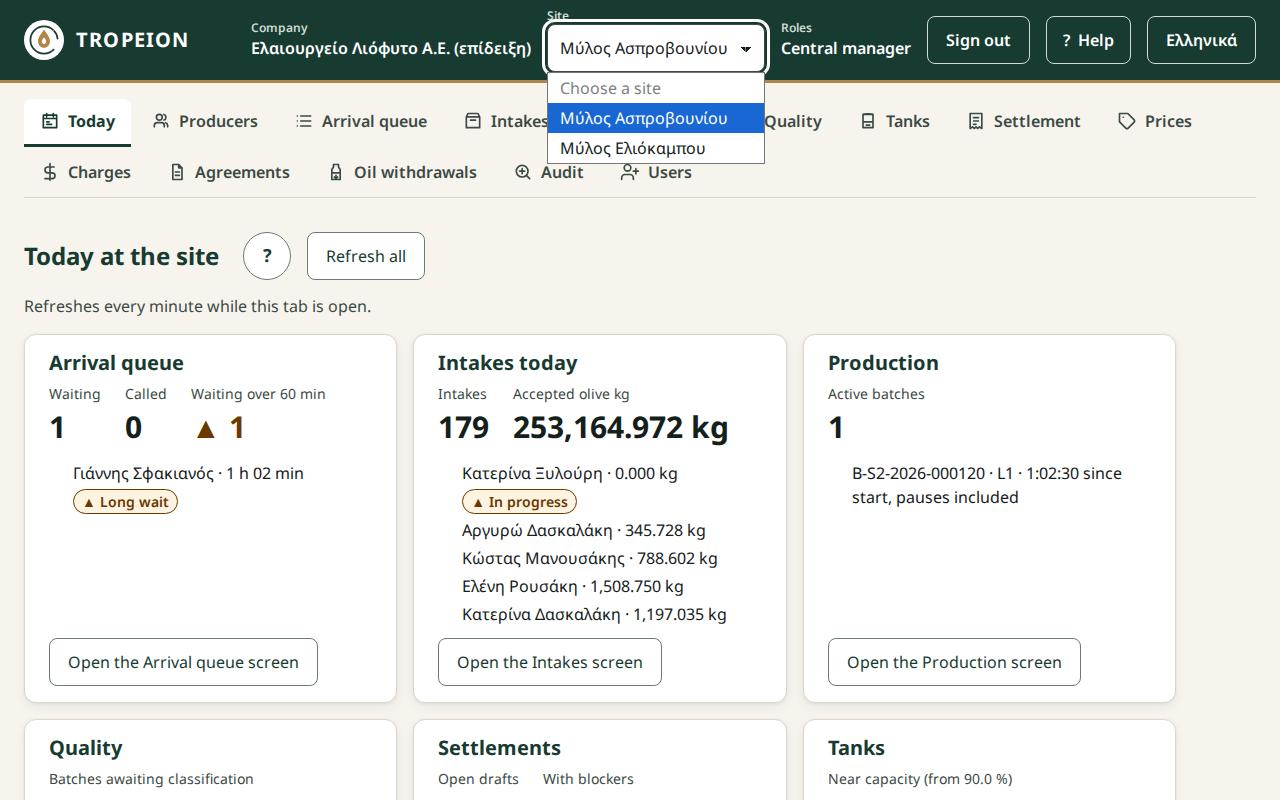
Look at the Work context bar at the top of the screen.
If you want another company, choose it from the Company list. If that company has only one site, it is selected for you. Otherwise the Site list shows "Choose a site".
Choose the site from the Site list.
Check your Roles at the new site. They may be different.
The screen loads again with the new site's data.
The "Work context" bar with the "Site" list open and two sites to choose from
What if…
…you see "Some input is not saved or some actions are not confirmed by the server yet. If you leave now, they are lost from this screen. Leave anyway?". You have an open intake with unsent input. Choose to stay, finish the work and change site afterwards. If you confirm, the unsent input is lost.
…you see "An action waiting for an identity check was discarded unsent.". You had a critical action waiting for a new sign-in. With the site change it was not sent. Repeat it if needed.
…you see "You have no site access at this company.". Choose another company or ask your administrator for access.
…the site you want is not in the list. You have no role there. Ask your administrator for access.
…the search text or the selected producer disappeared. That is normal. For security, nothing from the previous site is carried over to the new one.