Screen: Production console
How to cancel a started batch
Before you start
- Your role is Site manager or Central manager.
- The batch is Running or Paused.
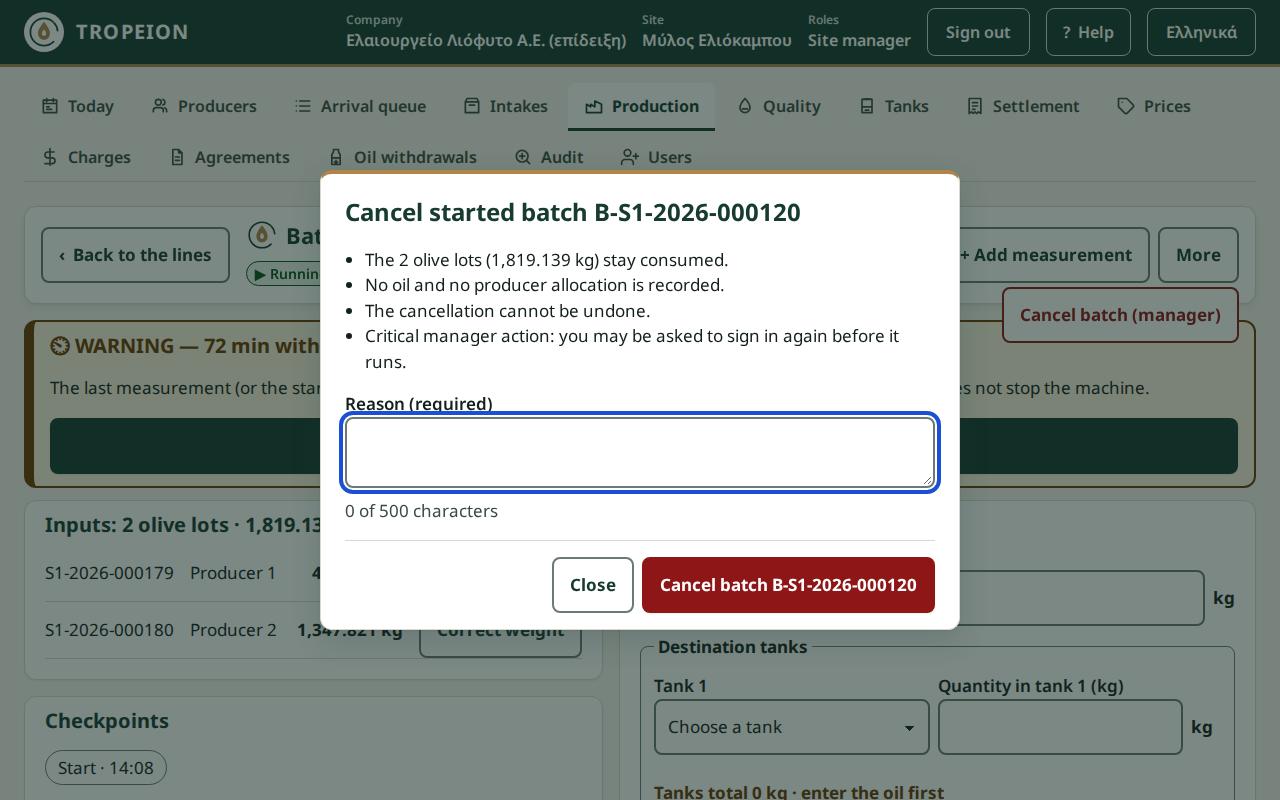
- You are sure: the cancellation cannot be undone. The olives stay consumed and no oil or producer allocation is recorded.
- You may be asked to sign in again, so have your sign-in details ready.
Steps
- Open the batch from the Production console.
- In the top bar, press More.
- Press Cancel batch (manager).
- Read the points in the window: how many olive lots stay consumed, that no oil is recorded, that the cancellation cannot be undone.
- Write a Reason (required), up to 500 characters.
- Press Cancel batch ….
- If the sign-in page opens, sign in. You return to the same batch.
- You see "Batch … is cancelled." and "The batch was cancelled".
What if…
- …I do not see More. Your role does not cancel batches, or the batch is not running.
- …it says "Write a reason." The reason is required.
- …it says "This action needs a fresh identity confirmation…". Nothing changed. Sign in again and repeat.
- …the batch changed on another device. Nothing was saved. Check what changed, press Review and continue and decide again.
- …the batch has not started yet. The console cancels only batches that have started.